Beginner · visual course

Python

Programming turns a large problem into small, exact instructions that a computer can test and repeat.

Python 3VS CodeJupyter 4 guided sessions 8 skill tracks 3 example projects
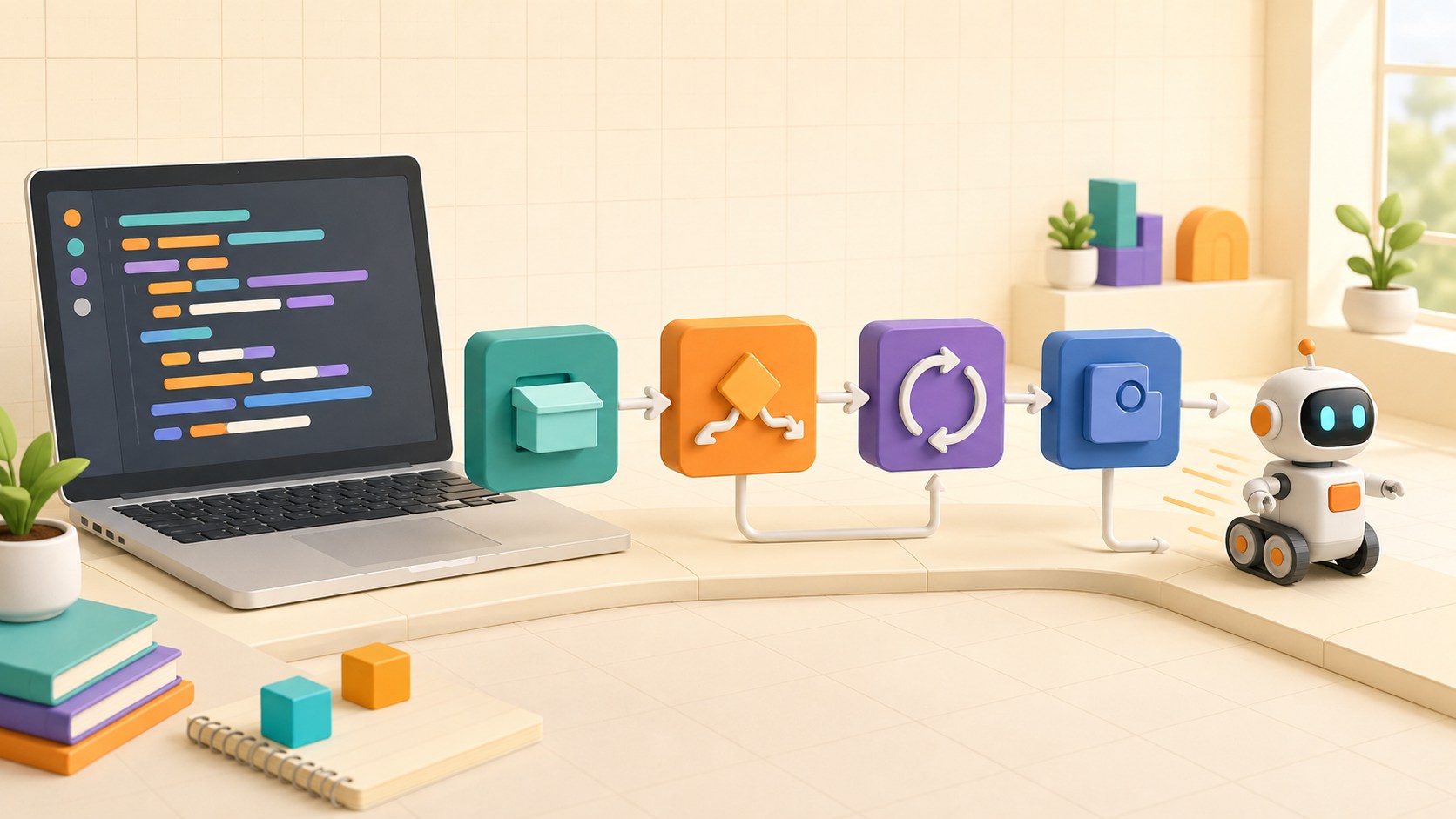
Three-dimensional programming lesson showing code blocks for input, decisions, loops and robot output
Concept overview · generated for this Academy4Tech lesson
Start here

See the system, then build it.

Reading code is as important as writing it. Predict the result before pressing Run.

01Store and transform values with clear variable names
02Use decisions and loops to control program flow
03Organize repeated work with functions
04Test a small engineering program with normal and unusual inputs
Your progress Keep your learning momentum going

0 of 4 sessions complete

Interactive 3D learning studio

Python execution studio

Step through values, decisions, loops and functions as one small engineering program.

Interactive system model · loads on request Poster mode
Explore the system in 3D Inspect the labelled subsystems and watch their modelled process. The lesson flow beside it is a separate conceptual sequence unless it explicitly names the same subsystem. The poster remains available if WebGL is unsupported.
Selected lesson · conceptual flow

Values, variables and expressions

How does a program remember information?

Step 1 of 4 · Input value

Step through this lesson’s conceptual sequence here. Inspect the separate 3D subsystem model below it to understand the system’s structure.

3D subsystem inspector · 4 model parts
Mini experiment

Change one variable. Predict first, then test.

Process between 4 and 8 test readings.

5
Live result Move the control to test your prediction

Process between 4 and 8 test readings.

Every highlighted 3D group corresponds to a labelled system part. A slider changes the model only when that relationship can be represented faithfully; otherwise the geometry stays still and the live calculation explains the effect. The model simplifies scale and geometry, so use the lesson’s safety notes, measurements and official documentation when building a real system.

01
Session 1 · 20 min

Values, variables and expressions

How does a program remember information?

Understand it

A value is a piece of data such as a number, text or true/false choice. A variable gives a value a useful name. Expressions combine values with operators, and Python evaluates the expression before storing or displaying the result.

Interactive concept flow

Step 1 of 4 Input value

Choose a step to inspect it, or run the complete sequence.

Sequence progress
1 / 4
Picture it

A useful analogy

A labelled container tells you what belongs inside and lets you replace its contents later.

Apply it

Worked example

Store distance_cm = 42, safe_distance_cm = 25, then compare the two values to decide whether the path is clear.

Example codeRead each line, predict, then run
length_cm = 12
width_cm = 8
area_cm2 = length_cm * width_cm
print(area_cm2)
Try it
  1. Create variables for length and width.
  2. Calculate rectangle area.
  3. Change one input and predict the new result before running.
Quick checkWhat is the difference between = and == in Python?

Answer: = assigns a value to a variable. == compares two values and produces True or False.

02
Session 2 · 25 min

Decisions and loops

How does code choose and repeat?

Understand it

An if statement selects a path using a Boolean condition. A loop repeats a block of code. Use for when working through a known collection or range, and while when repetition depends on a condition that may change.

Interactive concept flow

Step 1 of 4 Condition

Choose a step to inspect it, or run the complete sequence.

Sequence progress
1 / 4
Picture it

A useful analogy

A traffic signal uses conditions to choose stop or go, while a runner repeats laps until the race distance is complete.

Apply it

Worked example

Read five temperature samples, print a warning for values above 35, and count how many warnings occurred.

Example codeRead each line, predict, then run
temperatures = [29, 36, 35, 38]
for value in temperatures:
    if value > 35:
        print("High temperature", value)
Try it
  1. Write three sample temperatures in a list.
  2. Predict which trigger a warning.
  3. Add a boundary value of exactly 35 and check your rule.
Quick checkWhy must a while-loop condition eventually change?

Answer: If it never becomes false, the loop may continue forever.

03
Session 3 · 25 min

Functions and collections

How do we make programs easier to reuse and understand?

Understand it

Functions group one responsibility behind a meaningful name. Parameters carry input into the function and return sends a result back. Lists hold ordered values, while dictionaries connect keys to values.

Interactive concept flow

Step 1 of 4 Arguments

Choose a step to inspect it, or run the complete sequence.

Sequence progress
1 / 4
Picture it

A useful analogy

A recipe has a name, ingredients as inputs, steps inside, and a finished dish as its result.

Apply it

Worked example

A function converts an ADC reading into voltage, then a list stores several converted samples for an average.

Example codeRead each line, predict, then run
def cm_to_m(distance_cm):
    return distance_cm / 100

measurements = [25, 80, 135]
metres = [cm_to_m(value) for value in measurements]
Try it
  1. Write a function that converts centimetres to metres.
  2. Call it with three values.
  3. Test zero and a decimal value.
Quick checkWhy return a value instead of only printing it?

Answer: A returned value can be stored, tested or used in another calculation.

04
Session 4 · 30 min

Test an engineering script

How can code earn our trust?

Understand it

Start with a clear input-output rule. Test typical values, boundaries and invalid inputs. Separate calculation from input and display so the important logic is easy to verify. Error messages should help the user recover.

Interactive concept flow

Step 1 of 4 Define rule

Choose a step to inspect it, or run the complete sequence.

Sequence progress
1 / 4
Picture it

A useful analogy

A bridge is checked with expected loads and difficult conditions before people depend on it.

Apply it

Worked example

A battery checker classifies 12.4 V as ready, 11.8 V as recharge, and rejects a negative measurement.

Example codeRead each line, predict, then run
def battery_state(volts):
    if volts < 0:
        raise ValueError("Voltage cannot be negative")
    return "ready" if volts >= 12.2 else "recharge"
Try it
  1. Write expected results for three battery voltages.
  2. Create a function and test each case.
  3. Add one impossible input and a helpful response.
Quick checkWhat is a boundary test?

Answer: It tests a value exactly at or immediately around the point where behaviour changes.

Beyond the guided sessions

Explore the whole Python field

The guided sessions teach the foundations. This map widens the view across 8 important tracks, with explanations, practice prompts, knowledge checks, and official sources for deeper study.

Learn Python from clear expressions and control flow through reusable design, data handling, testing, algorithms, and connected applications.

Field map 0 of 8 tracks explored
Open a track to add it to your journey.
  1. Foundation Values and variables
    Track overview

    Python programs represent information as typed values, bind names to objects, and communicate through input and output.

    Core concepts

    Four ideas to understand

    1. numbers and strings

      Integers and floating-point numbers support arithmetic, while strings represent Unicode text. Operators behave according to type, so numeric addition and string joining produce different kinds of result.

    2. assignment and names

      Assignment binds a name to an object; it does not permanently label the value with a type. Clear names and consistent conventions make state changes easier to follow.

    3. type conversion

      Constructors such as int, float, and str create a value in another type when conversion is valid. User input should be validated because a failed conversion raises an exception.

    4. input and formatted output

      input returns text, while print displays values. Formatted string literals place expressions inside braces and can control width, alignment, and numeric precision.

    Check your thinking What type does input return before you convert it?
    Answer

    A string, which should be validated before conversion to a numeric or other type.

  2. Foundation Decisions and repetition
    Track overview

    Conditions and loops let a program select actions and repeat work while keeping termination and edge cases visible.

    Core concepts

    Four ideas to understand

    1. comparisons

      Comparison operators produce Boolean values, and chained comparisons can express ranges clearly. Equality compares values, while is tests whether two names refer to the same object.

    2. Boolean logic

      and, or, and not combine truth values using short-circuit evaluation. Python also treats empty containers, zero, and None as false in conditions.

    3. branches

      if, elif, and else choose one path based on ordered conditions. Put specific cases before general ones and test boundary values.

    4. loops

      for iterates over items from an iterable, while while repeats as long as a condition is true. break exits, continue skips an iteration, and every while loop needs a reachable stopping condition.

    Check your thinking When should a while loop be preferred over a for loop?
    Answer

    When repetition depends on a changing condition rather than a known iterable or count.

  3. Foundation Collections and text
    Track overview

    Python collections organize sequences, key-value relationships, and unique items, while slicing and iteration expose their contents.

    Core concepts

    Four ideas to understand

    1. lists

      A list is an ordered, mutable sequence that can grow, shrink, and be sliced. Mutating a list through one name is visible through other names referring to the same list.

    2. tuples and unpacking

      A tuple is an ordered sequence commonly used for fixed groups of values. Unpacking assigns its elements to matching targets and makes returned multi-value records readable.

    3. dictionaries and sets

      A dictionary maps unique hashable keys to values, while a set stores unique hashable members. Membership tests are usually a better fit than repeated list searches when order is not needed.

    4. string processing

      Strings are immutable sequences, so methods return new strings rather than changing the original. split, join, strip, and case-aware comparisons support common text-cleaning tasks.

    Check your thinking What is the main difference between a list and a tuple?
    Answer

    A list is mutable, while a tuple cannot have its items reassigned after creation.

  4. Applied Functions and modules
    Track overview

    Functions and modules divide a program into named, testable units with explicit inputs, outputs, and dependencies.

    Core concepts

    Four ideas to understand

    1. parameters and returns

      Parameters receive arguments, and return sends a result back to the caller. Default arguments should usually be immutable to avoid sharing accidental state between calls.

    2. scope

      A name is resolved through local, enclosing, global, and built-in scopes. Prefer returning values or updating an object deliberately instead of relying on hidden global changes.

    3. imports

      An import executes and exposes code from a module, while qualified names show where a feature came from. A main guard prevents script-only actions from running when the module is imported.

    4. types, packages, and environments

      Type hints document expected values and support static checks but are not runtime enforcement. Organize reusable modules as a package, isolate dependencies in a virtual environment, and record build metadata and requirements in pyproject.toml.

    Check your thinking Why use if __name__ == "__main__" in a module?
    Answer

    It runs entry-point code only when the file is executed directly, not when it is imported.

  5. Applied Files and failures
    Track overview

    Programs must handle file paths, structured formats, resource cleanup, and expected failures without losing data or hiding defects.

    Core concepts

    Four ideas to understand

    1. paths and text files

      pathlib builds paths without manual separator rules, and text files should be opened with an intentional encoding. Never assume the current working directory is the script directory.

    2. JSON and CSV

      JSON represents nested basic values, while CSV represents rows whose dialect and types need interpretation. Parsing input does not make it trusted, so validate required fields, ranges, and sizes.

    3. exceptions

      Exceptions separate normal results from exceptional control flow. Catch the narrow exceptions you can handle, add useful context, and allow unexpected defects to remain visible.

    4. context managers

      A with statement guarantees cleanup when leaving a block, including when an exception occurs. Files, locks, and connections commonly provide context-manager support.

    Check your thinking What does a with block guarantee for an opened file?
    Answer

    The file is closed when the block exits, even if an exception occurs.

  6. Applied Objects and data models
    Track overview

    Object-oriented design combines state and behavior when it makes domain rules clearer, while Python data models define how objects interact with the language.

    Core concepts

    Four ideas to understand

    1. classes and instances

      A class defines behavior and construction rules, while each instance carries its own state. Instance methods receive the current object through self.

    2. encapsulation

      Encapsulation keeps invariants behind a small public interface instead of exposing every implementation detail. Python relies on naming conventions, properties, and disciplined APIs more than absolute access restrictions.

    3. inheritance and composition

      Inheritance specializes a compatible type, while composition builds behavior from contained collaborators. Composition is often easier to change when the relationship is not truly an is-a relationship.

    4. dataclasses

      A dataclass can generate initialization, representation, and equality methods for record-like classes; ordering comparisons are generated only when order=True. Validation and domain behavior may still need explicit methods.

    Check your thinking When is composition usually clearer than inheritance?
    Answer

    When one object uses or contains another but is not a substitutable kind of that object.

  7. Advanced Quality and algorithms
    Track overview

    Tests, debugging evidence, algorithm choice, and complexity reasoning make Python programs correct and maintainable as inputs grow.

    Core concepts

    Four ideas to understand

    1. unit testing

      A unit test arranges inputs, performs one behavior, and asserts an observable result. Include normal, boundary, invalid, and regression cases, and keep tests independent.

    2. debugging

      Reproduce the smallest failing case, read the traceback from the exception backward into your code, and inspect assumptions with a debugger or focused logging. Fix the cause and preserve it as a test.

    3. search and sort

      Linear search works on any sequence, while binary search needs sorted data and repeatedly halves the remaining range. Python sorting is stable and accepts a key function for derived ordering.

    4. complexity

      Time and space complexity describe how resource use grows with input size. Big-O omits constant factors, so measurement still matters for real data and hardware.

    Check your thinking What condition must hold before ordinary binary search is valid?
    Answer

    The searched sequence must be ordered according to the same comparison rule.

  8. Advanced Connected Python
    Track overview

    Networked Python combines external APIs, persistent data, concurrency, and defensive handling of untrusted inputs and secrets.

    Core concepts

    Four ideas to understand

    1. REST-style APIs

      An HTTP client sends methods, URLs, headers, and bodies, then checks status and parses a bounded response. Use timeouts, validate TLS, retry only safe operations carefully, and never log secrets.

    2. database queries

      Parameterized queries keep data separate from SQL syntax and help prevent injection. Transactions group related changes so they commit together or roll back.

    3. concurrency choices

      asyncio lets one event-loop thread switch among coroutines while supported network or pipe operations wait; ordinary blocking file I/O must use asyncio.to_thread, an executor, or a suitable async library. Threads suit many blocking calls, while processes can run CPU-heavy Python work in parallel.

    4. responsible data use

      Collect only necessary data, protect credentials, validate deserialized input, and define retention and deletion. Python security guidance also warns that some parsers, archives, and command helpers are unsafe with untrusted data.

    Check your thinking Why should values be passed as database query parameters instead of joined into SQL text?
    Answer

    Parameters preserve the boundary between code and data, reducing injection risk and quoting errors.

Verified next steps

Official references

Use these primary sources to extend the explanations and check current guidance.

  1. Python Software Foundation The Python Tutorial
  2. Python Software Foundation The Python Standard Library
  3. Python Packaging Authority Python Packaging User Guide
  4. Python Software Foundation typing — Support for type hints
  5. Python Software Foundation venv — Creation of virtual environments
  6. Python Software Foundation unittest — Unit testing framework
  7. Python Software Foundation asyncio — Asynchronous I/O
  8. Python Software Foundation sqlite3 — DB-API 2.0 interface for SQLite databases
  9. Python Software Foundation urllib.request — Extensible library for opening URLs
  10. Python Software Foundation Security Considerations
Three-project build pathway

Learn Python by making it work.

Start small, combine the ideas, then complete a measured challenge. Every project includes a material list, four build milestones, evidence to collect, and a safe next step.

  1. Starter · 60–90 minutes Messy Sensor-Data Report Learn one dependable building block Write a small command-line program that reads a supplied list of sensor values, rejects malformed entries, calculates useful summaries, and produces a readable engineering report.
    What you will learn

    Learning goals

    • Use variables, collections, loops, conditions, functions, and clear names together.
    • Validate input without silently converting or discarding unexpected values.
    • Separate data processing from presentation so each part can be checked.
    Prepare

    Materials and tools

    • Python 3 and a text editor or browser-based Python environment
    • Provided synthetic sensor readings containing valid, missing, and malformed entries
    • Starter requirements and expected-output examples
    • Terminal or notebook for running test cases
    Build sequence

    Four milestones

    1. Write examples of valid and invalid inputs plus the expected result before implementing the program.

    2. Create small functions for parsing, validation, summary calculation, and report formatting.

    3. Process the complete dataset and report count, minimum, maximum, mean, and rejected entries with reasons.

    4. Refactor unclear names or repeated logic, then compare results with hand-calculated cases.

    Prove it works

    Evidence to collect

    • The program produces correct results for empty, single-value, normal, and malformed datasets without crashing.
    • Rejected values are visible with a reason and are not included in calculations.
    • At least four independently checkable examples connect input, expected output, and actual output.
  2. Builder · 2–3 hours Tested Observation Logger Connect multiple ideas into a working system Turn a short script into a reusable Python package that validates observations, stores them in SQLite with parameterized queries, and proves key behavior with automated tests.
    What you will learn

    Learning goals

    • Organize code into modules with typed, documented public functions.
    • Use context managers and parameterized SQL for reliable local persistence.
    • Design unit tests around normal, boundary, invalid, and failure cases.
    Prepare

    Materials and tools

    • Python 3 with an isolated virtual environment
    • Standard-library sqlite3, unittest, pathlib, and logging modules
    • Synthetic observation generator
    • Package, database, and test folders in a disposable project directory
    Build sequence

    Four milestones

    1. Define a typed observation model and a validation contract for value, unit, source, timestamp, and quality.

    2. Create the SQLite schema and repository functions using transactions, context managers, and parameter placeholders.

    3. Add query and summary functions while keeping storage, business logic, and command-line display separate.

    4. Build and run a test suite covering valid records, rejected records, boundaries, rollback, and an empty database.

    Prove it works

    Evidence to collect

    • A fresh environment can run the package and tests from documented commands without editing global Python.
    • The automated suite passes at least eight named tests including validation and failed-transaction behavior.
    • Database inspection shows consistent types and no partial write after the intentionally failed transaction test.
  3. Challenge · 4–6 hours Resilient Async Device Monitor Test, measure, and improve a complete solution Create a local asynchronous monitor for several simulated devices. It gathers readings concurrently, applies timeouts and bounded retries, preserves partial results, and exposes failures without freezing the rest of the system.
    What you will learn

    Learning goals

    • Use asyncio tasks, cancellation, timeouts, and structured cleanup appropriately.
    • Distinguish transient, permanent, invalid-data, and programmer failures.
    • Measure concurrency benefits while limiting load and avoiding uncontrolled retry loops.
    Prepare

    Materials and tools

    • Python 3 and a project virtual environment
    • Local simulated-device service or provided async stubs
    • Structured logging and timing tools from the standard library
    • Automated test and failure-scenario matrix
    Build sequence

    Four milestones

    1. Build deterministic device stubs for success, delay, malformed response, temporary failure, and permanent failure.

    2. Implement bounded concurrent polling with validation, per-call timeout, retry budget, backoff, and cancellation cleanup.

    3. Aggregate successes and explicit error states without allowing one failed device to erase other results.

    4. Compare sequential and bounded-concurrent runs, test shutdown during work, and document operational limits.

    Prove it works

    Evidence to collect

    • All five deterministic scenarios and a cancellation test have repeatable automated assertions.
    • No task is left pending after normal completion, timeout, cancellation, or an injected exception.
    • Timing evidence shows the effect of the concurrency limit and the report explains why unlimited concurrency is unsafe.
Words to know

Build your vocabulary.

Variable
A name that refers to a value.
Expression
Values and operators that Python evaluates.
Boolean
A value that is either True or False.
Loop
A structure that repeats instructions.
Function
A named, reusable block of code.
Test case
An input and the result expected from it.
Keep studying

Official documentation.

These lessons simplify the first ideas. Use the original documentation when building, checking details or moving to the next level.

Continue learning

Related Academy4Tech content.

Learn by building.

Choose a real project, identify the smallest subsystem you can test, and document what the measurement tells you.