You can understand Python without treating it as magic or memorizing a long list of terms. Start with one simple mental model, connect each part to an everyday example, and then add the technical details that make the system dependable.
The big idea: Programming turns a large problem into small, exact instructions that a computer can test and repeat.
Reading code is as important as writing it. Predict the result before pressing Run.
Why this matters
Python is often the quickest bridge between an idea and a working experiment. It can check sensor readings, automate repetitive tasks and help you test an engineering rule before hardware is involved.
By the end of this guide, you will be able to:
- Store and transform values with clear variable names
- Use decisions and loops to control program flow
- Organize repeated work with functions
- Test a small engineering program with normal and unusual inputs
The goal is not only to recognize the words. It is to explain the system, predict what it will do, and design a small test that produces evidence.
1. Values, variables and expressions
The question: How does a program remember information?
A value is a piece of data such as a number, text or true/false choice. A variable gives a value a useful name. Expressions combine values with operators, and Python evaluates the expression before storing or displaying the result.
Think of it like this: A labelled container tells you what belongs inside and lets you replace its contents later.
A concrete example
Store distance_cm = 42, safe_distance_cm = 25, then compare the two values to decide whether the path is clear.
The flow: Input value → Named variable → Expression → Result
A small code example
length_cm = 12
width_cm = 8
area_cm2 = length_cm * width_cm
print(area_cm2)
Read it from top to bottom and ask what information enters, what rule is applied, and what result comes out.
Try it yourself
- Create variables for length and width.
- Calculate rectangle area.
- Change one input and predict the new result before running.
Quick check — What is the difference between = and == in Python?
= assigns a value to a variable. == compares two values and produces True or False.
2. Decisions and loops
The question: How does code choose and repeat?
An if statement selects a path using a Boolean condition. A loop repeats a block of code. Use for when working through a known collection or range, and while when repetition depends on a condition that may change.
Think of it like this: A traffic signal uses conditions to choose stop or go, while a runner repeats laps until the race distance is complete.
A concrete example
Read five temperature samples, print a warning for values above 35, and count how many warnings occurred.
The flow: Condition → Choose path → Repeat if needed → Finish
A small code example
temperatures = [29, 36, 35, 38]
for value in temperatures:
    if value > 35:
        print("High temperature", value)
Read it from top to bottom and ask what information enters, what rule is applied, and what result comes out.
Try it yourself
- Write three sample temperatures in a list.
- Predict which trigger a warning.
- Add a boundary value of exactly 35 and check your rule.
Quick check — Why must a while-loop condition eventually change?
If it never becomes false, the loop may continue forever.
3. Functions and collections
The question: How do we make programs easier to reuse and understand?
Functions group one responsibility behind a meaningful name. Parameters carry input into the function and return sends a result back. Lists hold ordered values, while dictionaries connect keys to values.
Think of it like this: A recipe has a name, ingredients as inputs, steps inside, and a finished dish as its result.
A concrete example
A function converts an ADC reading into voltage, then a list stores several converted samples for an average.
The flow: Arguments → Function → Return value → Use result
A small code example
def cm_to_m(distance_cm):
    return distance_cm / 100

measurements = [25, 80, 135]
metres = [cm_to_m(value) for value in measurements]
Read it from top to bottom and ask what information enters, what rule is applied, and what result comes out.
Try it yourself
- Write a function that converts centimetres to metres.
- Call it with three values.
- Test zero and a decimal value.
Quick check — Why return a value instead of only printing it?
A returned value can be stored, tested or used in another calculation.
4. Test an engineering script
The question: How can code earn our trust?
Start with a clear input-output rule. Test typical values, boundaries and invalid inputs. Separate calculation from input and display so the important logic is easy to verify. Error messages should help the user recover.
Think of it like this: A bridge is checked with expected loads and difficult conditions before people depend on it.
A concrete example
A battery checker classifies 12.4 V as ready, 11.8 V as recharge, and rejects a negative measurement.
The flow: Define rule → Choose cases → Run → Compare expected
A small code example
def battery_state(volts):
    if volts < 0:
        raise ValueError("Voltage cannot be negative")
    return "ready" if volts >= 12.2 else "recharge"
Read it from top to bottom and ask what information enters, what rule is applied, and what result comes out.
Try it yourself
- Write expected results for three battery voltages.
- Create a function and test each case.
- Add one impossible input and a helpful response.
Quick check — What is a boundary test?
It tests a value exactly at or immediately around the point where behaviour changes.
Put the ideas together: Build a sensor-data checker
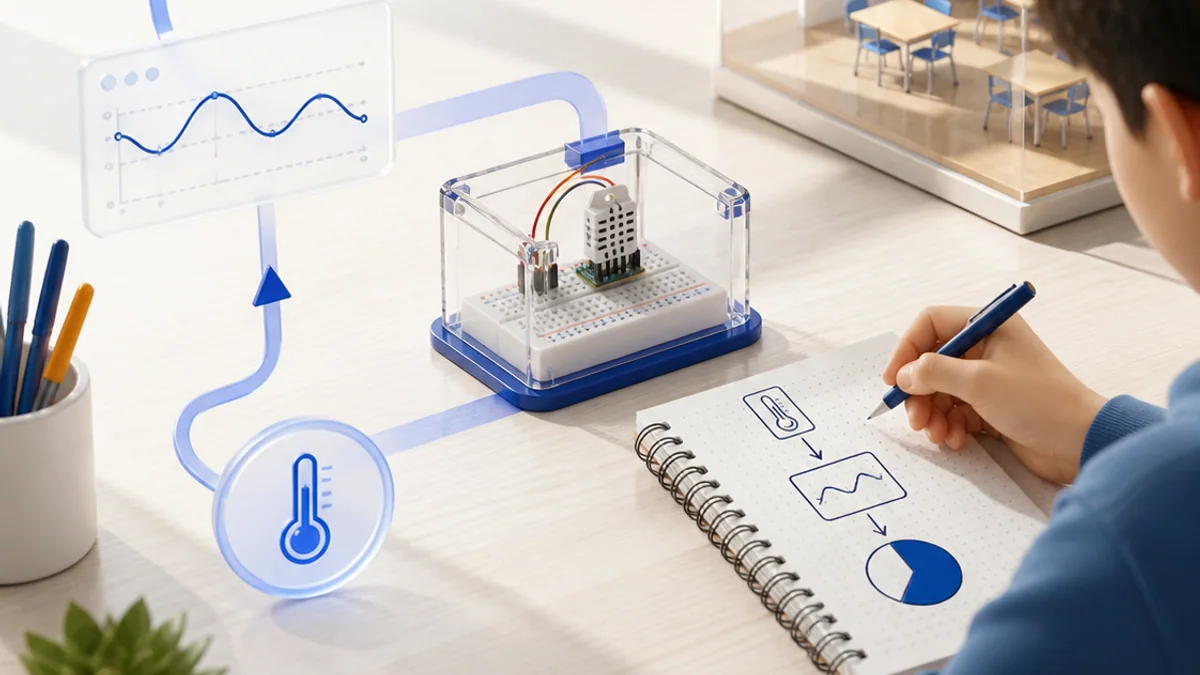
Create a Python program that checks a list of classroom temperature readings and produces a clear summary.
Your build plan
- Write a function that validates one reading.
- Classify valid readings as comfortable, warm or hot.
- Count each category and calculate the average.
- Test boundary and invalid values.
Evidence to keep
- Readable source code
- At least six test cases
- Expected and actual output
- A short note about one bug you fixed
An engineer does not stop at “it worked once.” Keep the diagram, record the conditions, repeat the test, and note what changed between attempts.
Important safety and quality notes
- Use non-sensitive example data while learning and testing.
- Check outputs instead of assuming software or a model is correct.
- Add human review whenever a mistake could affect a person or physical equipment.
The examples in this article are educational models. Check component ratings, manufacturer instructions, local rules and appropriate supervision before using real hardware.
Vocabulary without the jargon wall
| Term | Plain-language meaning |
|---|---|
| Variable | A name that refers to a value. |
| Expression | Values and operators that Python evaluates. |
| Boolean | A value that is either True or False. |
| Loop | A structure that repeats instructions. |
| Function | A named, reusable block of code. |
| Test case | An input and the result expected from it. |
What to remember
Programming turns a large problem into small, exact instructions that a computer can test and repeat. The professional habit behind the technology is equally important: define the result, observe the system, measure what happened, and improve one thing at a time.
Continue with the full Python learning path for the structured sessions, or explore the sources below when you are ready for deeper technical detail.
Sources and further learning
- The Python tutorial — Python Software Foundation
- Python standard library — Python Software Foundation
- Python language reference — Python Software Foundation
Watch a loop repeat work
Choose the number of readings. Each box represents one pass through the same block of code.
Move a slider to explore the model.
Remember: this is a simplified learning model, not a hardware design or safety calculator. Real systems also include limits, noise, timing and failure handling.